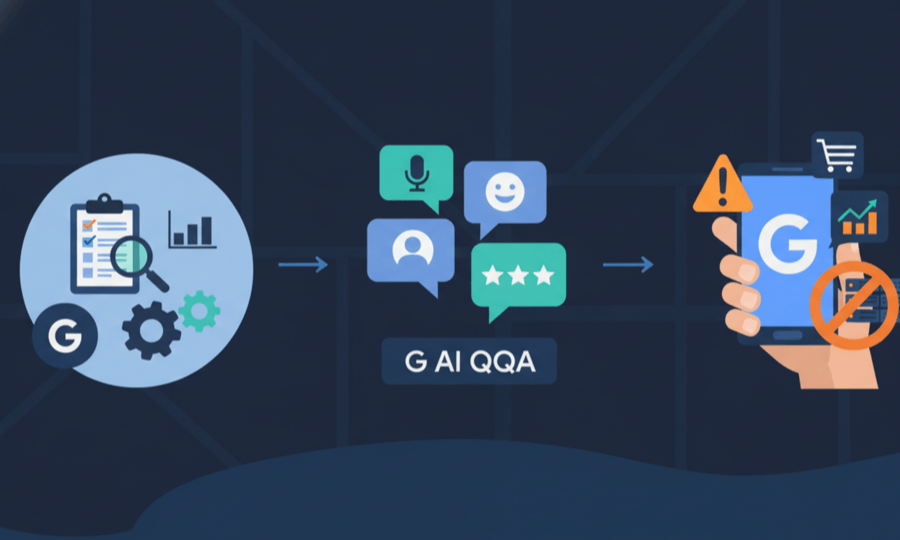
Local search habits have changed faster than most owners had time to react. People expect instant answers, conversational search, and rich visuals before they ever tap a call button. Google has quietly responded by reshaping Business Profiles into an AI-driven, conversational touchpoint that sits at the center of your local marketing.
Over the last months, several experimental features have started to appear: smarter Insights that tell you what to fix, AI that answers detailed customer questions, story-style reviews, WhatsApp messaging, and even early AR and e-commerce options. Used together, these tools do more than polish your listing. They change how people decide which business to trust and visit.
This article walks through these changes with a practical focus: what is new, how it behaves in search, and what a local owner like our example café “Riverside Roasters” should do next. You will see how to turn profile data, photos, and reviews into real visibility and customer engagement, and where to watch for risks such as bad edits or misleading AI answers.
- Google is testing a smarter Insights experience that turns raw data into concrete suggestions for your profile.
- New AI features like “Learn Something Specific” and “Google AI Mode” reshape how customers ask questions and discover local businesses.
- WhatsApp integration, AI menu photos, story-style reviews, and emojis bring profiles closer to social media style engagement.
- AR storefronts, richer product displays, and Local Service Ads links move profiles from static listings to interactive sales tools.
- Keeping control of “Suggest an Edit” and following profile guidelines is key to protecting rankings and visibility.
Google’s New Insights Feature on Business Profiles: Revolutionizing Local SEO
From Performance Tab to Actionable Profile Suggestions: Understanding the Insights Upgrade
The old “Insights” section is now the Performance tab, focused on charts, calls, and views. The new experimental Insights interface goes further: it behaves like a coach that flags weak spots in your profile and suggests concrete actions. For Riverside Roasters, that might mean prompts to reply to unanswered reviews, update opening hours before a holiday, or add fresh photos of their outdoor seating.
Google is clearly shifting from pure analytics to guided optimization. Instead of asking owners to interpret graphs, the system suggests “Update your business description to highlight popular services” or “Add more photos of your menu.”
- It highlights missing or outdated info like services, hours, and contact details.
- It nudges you to engage with reviews that are still waiting for a response.
- It calls out content gaps such as lack of recent posts or product photos.
For busy owners, this shift matters. Instead of spending time hunting through help pages, you get a prioritized to-do list right inside the dashboard. The more you follow those prompts, the more signals you send that your listing is active, which can support stronger search performance.
Enhancing Reviews, Business Info, and Content with Google’s Latest Insights Tools
The upgraded Insights tools pay particular attention to three levers that heavily influence local search: reviews, core business information, and fresh content. Google sees each of these as a quality signal: accurate details keep users safe from wrong addresses or hours, reviews guide trust, and new posts show that a business is alive and responsive.
For Riverside Roasters, the panel might say “Respond to 4 recent reviews to build trust” or “Add a post about your new seasonal latte.”
- Replying to reviews helps potential customers judge how you treat feedback.
- Complete categories, services, and attributes help Google match you with the right queries.
- Posts and photos give the AI more context when forming answers for users.
| Area | Typical suggestion | SEO benefit |
|---|---|---|
| Reviews | Reply to recent feedback | Improved trust and conversion |
| Business info | Fill missing services and attributes | Better match to search intent |
| Content | Post offers or updates | More engagement and signals of activity |
Integrating AI-Powered ‘Learn Something Specific’ for Precise Customer Queries
One of the boldest experiments from Google is the AI powered “Learn Something Specific” feature. It sits where the old Questions & Answers once dominated and invites users to ask very precise questions such as “Do you have lactose-free cappuccinos?” or “Is there step-free access from the parking lot?” For Riverside Roasters, this means people can get answers on dietary needs, Wi-Fi policies, or pet rules without scrolling through dozens of reviews.
The system uses AI to read your business description, posts, services, and reviews, then craft a tailored reply. Tests suggest that users get more direct answers with fewer clicks. That short path from question to clarity is where conversions usually happen.
- Customers ask natural language questions instead of hunting through tabs.
- The AI answers using your profile data and other trusted signals.
- Well-maintained content reduces the risk of vague or wrong responses.
For owners, this raises the bar for profile hygiene. Vague descriptions or missing services give the AI less to work with. On the positive side, it means that local search success is even more tied to how carefully you describe what your business actually offers.
User Experience and Limitations of the Experimental AI Q&A Feature
From the user perspective, the experimental AI Q&A feels almost like chatting with a staff member. The interface carries clear disclaimers that answers are generated and may not be perfect, which nudges people to double-check sensitive details like medical claims or legal topics. For simple questions though, the speed is hard to beat.
There are important limits. The AI cannot see information you never published, such as internal policies or last-minute closures unless you post them. It sometimes leans on patterns from similar businesses, which can be risky if you are different from peers. Expert write-ups, like the discussion of AI overviews in Google Maps results, show how similar systems sometimes over-generalize.
- The feature still shows a warning about its experimental status.
- Users can usually see sources, such as reviews snippets, linked below answers.
- Owners have no direct edit button for AI text, so control comes from improving source data.
This is why regular checks of your profile, backed by guides like how to stay compliant with profile guidelines, have become part of basic local maintenance. You are no longer polishing a static listing; you are training an AI that talks to your customers.
Impact of Generative AI on Search Relevance and Business Engagement
Generative AI inside local results changes what “relevance” means. Instead of simple keyword matches, Google now evaluates how fully your profile answers likely follow-up questions. For example, if many people in your city ask “quiet coffee shop to work,” the system will read reviews about noise levels, Wi-Fi stability, and seating. Riverside Roasters might surface more often if customers praise it as a calm place for remote work.
- Keyword stuffing in descriptions matters less than genuine, detailed reviews.
- Consistent information across website, profile, and social gives the AI confidence.
- Engagement features like messaging and posts show that the business is active.
| Signal | Source | Effect on engagement |
|---|---|---|
| Descriptive reviews | Customer feedback | Better match for conversational queries |
| Active posting | Profile updates | More clicks and repeat visits to the listing |
| Chat and calls | Messaging tools | Higher chance of conversion from search |
2025 Google Business Profiles Features Transforming Customer Interaction and SEO
WhatsApp Integration and AI-Generated Menus: Simplifying Direct Customer Communication
Messaging has become a default expectation, and Google seems to accept that people often prefer chat over calls. Recent tests connect profiles directly with WhatsApp, giving prospects a simple “Message on WhatsApp” button next to directions and calls.
On top of that, restaurants can upload plain menu photos and let AI parse them into structured items.
- WhatsApp messages lower the barrier for shy or busy customers.
- AI menu parsing makes items searchable inside Google.
- Edited menus can flag gluten-free, vegan, or kids’ options more clearly.
Story-Like Review Presentation and Emoji Use: Boosting Visual Appeal and Brand Personality
Google is clearly borrowing from social platforms with its new story-like reviews presentation. Instead of a plain list, some tests show swipeable cards featuring large photos and bold text, almost like Instagram stories.
Alongside that, emojis are quietly making their way into both reviews and owner responses. Used carefully, a simple ☕ or smile can make a reply feel warmer without crossing into unprofessional territory.
- Photo-heavy reviews draw more attention than plain text.
- Short, friendly replies show that real humans are listening.
- Clear policies in responses reduce repeat questions and disputes.
Google AI Mode: Personalized Conversational Search Based on GBP Content
“Google AI Mode” is the informal name many specialists use for the conversational AI layer on top of local results. Instead of a classic list of blue links, users see a chat-style assistant that pulls businesses, reviews, and FAQs into a single, personalized answer.
- Conversational queries surface businesses that match multiple conditions.
- AI leans on sentiment and detail in reviews.
- Accurate categories and attributes matter more than broad keywords.
Monitoring Risks and Safeguards: Managing ‘Suggest an Edit’ and Profile Accuracy
All these AI layers depend on one thing: accurate data. That makes the “Suggest an Edit” feature a double-edged sword. Helpful locals can correct wrong hours, but competitors or random users can also push harmful changes that affect your visibility.
- Check your profile and Performance tab at least once a week.
- Watch for sudden drops in calls, which can hint at hidden edits.
- Keep your website and citations consistent so Google trusts your official data.
Emerging GBP Innovations: AR Storefronts, E-Commerce Showcases, and Local Service Ads
Beyond messaging and AI, Google is stretching Business Profiles into fields that used to belong to full websites. Augmented reality storefronts, where users can hold up a phone to “walk past” your display virtually, are starting to appear in pilot programs. E-commerce features let some retailers show product carousels with prices, availability, and even checkout links directly from the profile.
How often should I update my Google Business Profile to support AI features?
Aim to review your profile at least once a week. Check the new Insights panel, respond to recent reviews, confirm that hours and services are correct, and publish a post around key offers or events.
Do AI-generated answers replace the need to reply to customer reviews?
No. AI-generated answers rely heavily on the content of your reviews and your past responses. Thoughtful replies still matter for trust, conflict resolution, and signaling that a real team cares about feedback.
What should I do if Google accepts a bad ‘Suggest an Edit’ change on my profile?
Log into your profile dashboard and correct the information manually, then submit the changes. If the issue is severe, such as being marked permanently closed, follow Google’s support process or work with reinstatement specialists.
Suspended profile? Get it back online.
98% success rate. Pay only when we reinstate. Free 15-min diagnosis to start.