Google Business Profile Disabled? How to Reinstate It (2026 Australian Guide)
Updated on Wed, 17th of June 2026
That sinking feeling when you discover your Google Business Profile has been disabled is all too familiar for Australian business owners. One day you’re managing customer reviews and updating your hours, the next day your entire online presence has vanished without warning. A disabled profile means Google has completely removed your business from their platform, and it is a different problem from a standard suspension.
The short version: to reinstate a disabled Google Business Profile, confirm it is disabled rather than suspended, fix the eligibility or consistency issue that triggered it, then appeal with the right Australian documents (ASIC registration and a utility bill at the address are the core two). Most legitimate profiles come back within 7 to 21 days.
Here’s the reality: disabled profiles are Google’s way of saying your business shouldn’t exist on their platform at all. Your listing disappears entirely from search results, Google Maps, and your management dashboard. There’s no “temporarily closed” notice or limited functionality, just complete invisibility.
The encouraging news? Most disabled profiles result from technical issues, inconsistencies, or algorithmic errors rather than genuine policy violations. With the right approach and proper documentation, you can often get your profile reinstated and return to normal operations. This guide covers everything you need to know about understanding, appealing, and preventing Google Business Profile disabling.
Understanding What “Disabled” Really Means
When Google disables your business profile, they’re making a definitive statement: your business doesn’t meet their platform requirements. This goes beyond temporary penalties or verification issues, it’s a complete removal from their ecosystem.
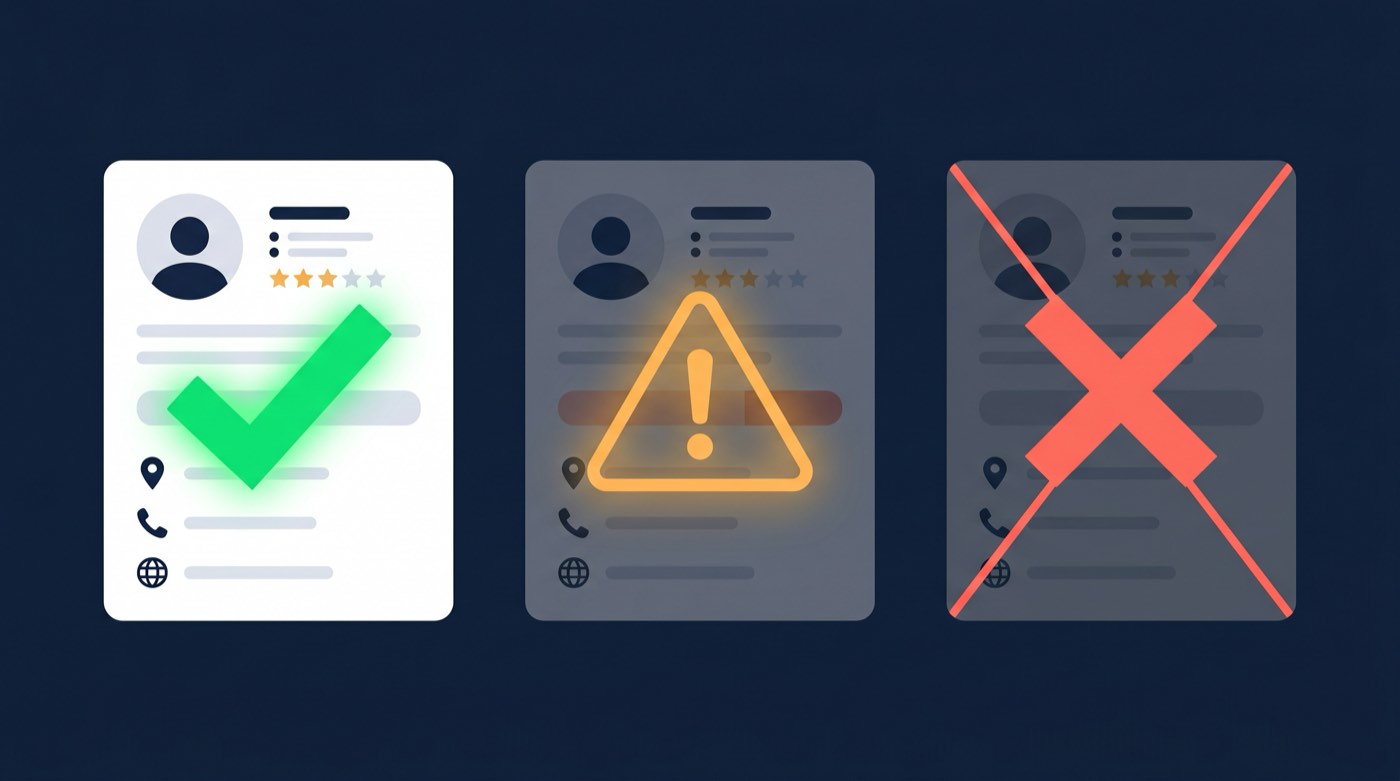
The distinction matters significantly:
- Disabled profiles are entirely invisible and inaccessible
- Suspended profiles remain visible with restricted functionality and warning notices (covered in our complete guide to Google Business Profile suspension in Australia)
- Unverified profiles appear with reduced prominence and verification prompts
Google’s automated systems are increasingly aggressive about profile management. According to local search experts, the AI algorithms responsible for these decisions have become more sensitive to inconsistencies and potential violations, leading to more false positives affecting legitimate businesses.
The immediate impact is devastating for local businesses. You lose all local search visibility, customer review management capabilities, and the ability to share business updates. For many Australian businesses, this represents losing their primary digital storefront overnight.
What makes this particularly challenging is that Google’s notification system often provides minimal explanation. You might receive a generic “policy violation” email without specific details about what triggered the disabling, making it difficult to understand how to fix the problem. If your notice instead cites suspicious activity, that vague wording almost always points to an algorithmic flag rather than a human review, which changes how you should build the appeal.
Primary Causes Behind Profile Disabling
Understanding why profiles get disabled is essential for both recovery and prevention. Research from Google Business Profile specialists reveals several common triggers:
Eligibility and Location Issues
The most frequent cause involves businesses that Google’s systems determine shouldn’t have profiles. This includes virtual offices, mail forwarding services, or shared workspaces without clear business signage and dedicated staff presence.
Australian businesses using co-working spaces or serviced offices are particularly vulnerable. Google requires evidence of genuine business operations at your listed address, including proper signage, staff presence during stated hours, and the ability for customers to visit your location.
Information Inconsistencies Across Platforms
Google continuously cross-references your business data with other sources. Even minor variations can trigger automatic disabling:
- Business name differences (“Melbourne SEO” vs “Melbourne SEO Services”)
- Address format variations (Street vs St, Unit vs U)
- Phone number discrepancies across directories
- Mismatched business names between your website and profile
Business Name Violations
Adding keywords or promotional text to your business name is a fast track to disabling. Examples include “Best Coffee Sydney – Cafe Central” or “24/7 Towing Brisbane – Quick Response.” Google’s guidelines require using your real business name exactly as it appears on official documentation.
Multiple Profile Conflicts
Duplicate listings for the same business location often result in all profiles being disabled. This commonly occurs when:
- Different team members create separate profiles unknowingly
- Previous business owners or managers had existing profiles
- Marketing agencies create new profiles without checking for existing ones
- Franchise locations have conflicting corporate and local profiles
Content and Policy Violations
Disabled status can result from content Google considers misleading:
- Exaggerated or fake service coverage areas
- Inappropriate content in business descriptions or posts
- Fake reviews or review manipulation
- Misrepresenting business credentials or services
The frustrating aspect of policy violations is Google’s tendency toward vague explanations. You might receive a “deceptive content” notice when the actual issue relates to business eligibility or address inconsistencies.
Diagnosing the Specific Reason for Your Disabling
Google’s initial notification emails are notoriously unhelpful, but you can gather more specific information through systematic investigation:
Analysing Google’s Communication
Check your email for messages from Google My Business notifications. Look for subjects containing “disabled,” “policy violation,” or “business profile.” These emails typically include:
- Basic violation explanation
- Links to relevant Google policies
- Appeal process instructions
The policy links often provide clues about the specific issue. Eligibility guideline links suggest location or business model problems, while content policy links indicate issues with your business information or posts.
Reviewing Recent Profile Activity
Examine what changed in your profile before the disabling occurred:
- Recent business information updates
- New photos or posts uploaded
- Changes to business categories or services
- Additional team members granted access
Conducting a Consistency Audit
Systematically compare your business information across all platforms:
- Website contact information
- Social media profiles
- Directory listings (True Local, Yellow Pages, Bing Places)
- Business registration documents
- Bank account details
Local SEO expert Professor M observes that “the majority of disabled profiles stem from small inconsistencies that business owners don’t realise exist. Google’s systems have become incredibly sensitive to these variations.”
Navigating the Appeals Process Successfully
The appeals procedure for disabled profiles has become more structured but also more demanding. Success depends on preparation and understanding the process:
Accessing the Appeals System
- Locate the appeals link in your disabling notification email
- Select the appropriate issue category (usually “Business Profile Disabled”)
- Complete business information fields using exact details from official documents
- Prepare for the evidence submission deadline (typically 60 minutes)
Building a Comprehensive Evidence Package
Your documentation quality largely determines appeal success. Compile these materials before starting:
Core identity and registration (the documents Google actually weighs):
- ASIC business name registration, or your company extract from ASIC if you trade under a company
- An industry licence if your trade requires one (electrical, plumbing, building, security, real estate, medical, legal)
Location verification:
- A recent utility bill at the business address, dated within the last 90 days
- A commercial lease agreement if you operate a public storefront
- Exterior photographs showing clear business signage, or a branded service vehicle for service-area businesses
- Interior photos demonstrating active business operations
You usually do not need: an ABN extract on its own, a tax invoice or BAS, personal photo ID, or public liability insurance. If a first appeal is denied, a redacted bank statement at the business address can be added as supporting evidence.
The Critical 60-Minute Window
Here’s a crucial detail many businesses overlook: once you begin the appeals process, you typically have only 60 minutes to upload all supporting documentation. This timeframe is strictly enforced, and incomplete submissions often result in automatic denial.
Prepare all documents in digital format before starting the appeal. Use clear file names (e.g., “asic-registration-2026.pdf” or “storefront-signage.jpg”) and ensure files meet Google’s size requirements.

Crafting an Effective Appeal Statement
Your written explanation should be direct and comprehensive:
- State clearly that you believe the disabling was incorrect
- Explain how your business meets all eligibility requirements
- Address any potential information inconsistencies
- Maintain professional tone without criticising Google’s process
- Include specific details about customer interactions and business operations
Sample opening: “We respectfully request reinstatement of our Google Business Profile for [Business Name], located at [Address]. Our business has operated continuously since [Year] and fully complies with Google’s eligibility requirements through regular customer interactions and service delivery.”
Handling Appeal Rejections
Unfortunately, many legitimate businesses receive rejection notices with minimal explanation. Here’s how to respond:
Interpreting Rejection Messages
Google’s rejection communications typically use these categories:
- “Deceptive content” (frequently applied to eligibility concerns)
- “Policy violation” (indicates guideline breaches)
- “Insufficient evidence” (documentation wasn’t adequate)
- “Ineligible business” (fundamental eligibility concerns)
Strategies for Additional Appeals
While Google’s official stance limits appeals, some businesses achieve success through:
- Addressing specific concerns mentioned in the rejection
- Submitting additional evidence not included initially
- Correcting business information inconsistencies discovered after rejection
- Waiting 30-60 days before resubmitting with enhanced documentation
For complex cases requiring professional reinstatement assistance, specialised services can provide expert guidance through the appeals process.
Considering New Profile Creation
This high-risk approach should only be attempted when:
- Multiple appeals have been conclusively rejected
- You’ve made substantial changes addressing the original violation
- You accept losing all existing reviews and profile history
- You can guarantee complete information consistency across platforms
Critical warning: Creating new profiles while disabled profiles exist can result in permanent account bans. Only proceed if you’re certain the original profile is unrecoverable.
Implementing Prevention Strategies
Preventing profile disabling is significantly easier than recovery. These practices protect your profile:
Maintaining Information Consistency
Develop a master business information document and use it consistently everywhere:
- Exact business name as registered
- Complete address with consistent formatting
- Primary contact phone number
- Website URL
- Business categories and service descriptions
Research indicates that 73% of consumers lose confidence in businesses with inconsistent online information, making this crucial for both Google compliance and customer trust.
Ongoing Profile Management
- Update operating hours immediately when changes occur
- Respond professionally to all customer reviews
- Post regular updates demonstrating active operations
- Remove outdated information promptly
- Monitor for and report duplicate listings
Strict Guideline Adherence
- Use only your registered business name without keyword additions
- Ensure genuine eligibility for all selected business categories
- Avoid prohibited content in posts and descriptions
- Never create multiple profiles for single locations
- Maintain authentic customer relationships and avoid fake reviews
Proactive Monitoring Systems
Establish alerts to identify potential issues early:
- Google Search Console notifications
- Regular business name and location searches
- Monthly information audits across directories
- Competitor activity monitoring
- Customer feedback tracking
Recovery Timeline and Long-term Impact Considerations
A disabled Google Business Profile affects more than local search visibility. Secondary impacts include diminished customer trust, reduced website traffic, and potential effects on overall search rankings.
Successful appeals typically process within 7-21 days, though complex cases may extend beyond 30 days. During this period, focus on alternative marketing channels and optimise your website for direct traffic and non-Google search platforms.
Recovery extends beyond reinstatement, rebuilding lost momentum requires time and effort. Even after successful appeals, regaining previous search visibility and customer engagement levels can take several weeks or months.
The most effective approach involves systematic problem-solving: identify the disabling cause, address underlying issues completely, and implement robust prevention measures. With proper documentation and persistence, most legitimate businesses can successfully recover their Google Business Profile.
Australian businesses facing disabled profiles shouldn’t panic, but swift action is essential. The sooner you begin the appeals process with comprehensive documentation, the faster you can restore your online presence and resume normal customer service operations.
Remember that Google’s systems will continue evolving, making ongoing compliance and monitoring essential for maintaining your digital presence. Stay informed about guideline changes and maintain consistent business information across all platforms to protect your investment in local search visibility.
Frequently asked questions
What is the difference between a disabled and a suspended Google Business Profile?
A suspended profile usually stays visible with restricted management and a warning, and is appealed through the Business Profile appeals tool. A disabled profile is removed entirely from Search, Maps and your dashboard, and signals Google believes the business should not be listed at all. The reinstatement evidence is similar, but a disabled profile generally needs a stronger eligibility and identity case.
How do I reinstate a disabled Google Business Profile?
Diagnose the likely cause, fix any eligibility or consistency issues, then appeal through the link in your disabling email with your ASIC registration, a recent utility bill at the business address, any required industry licence, a commercial lease if you have a storefront, and photos. Have everything ready before you start, the evidence window is about 60 minutes.
How long does it take to recover a disabled profile?
Most successful appeals process within 7 to 21 days. Complex or previously rejected cases can run beyond 30 days. There is no automatic reinstatement; the timeline starts when you submit a complete, well-documented appeal.
What documents does Google want for an Australian appeal?
ASIC business name or company registration, a recent utility bill at the business address, an industry licence if your trade requires one, a commercial lease if you operate a storefront, and clear photos of signage or a branded vehicle. You generally do not need an ABN extract on its own, a tax invoice or BAS, or personal photo ID.
Can I just make a new profile if mine is disabled?
Almost never. Creating a new profile while a disabled one exists is treated as circumvention and can lead to a permanent account ban. Recover the existing profile instead.
Read next
- The complete guide to Google Business Profile suspension in Australia
- Google Business Profile suspended for suspicious activity
- Our GBP reinstatement service (98% success, money-back guarantee)
If your profile is disabled and the clock is costing you customers, book a reinstatement assessment and we will tell you whether it is recoverable before you commit.
Suspended profile? Get it back online.
98% success rate. Fixed fee, paid upfront, money-back guarantee.